
Add ingredients with AI
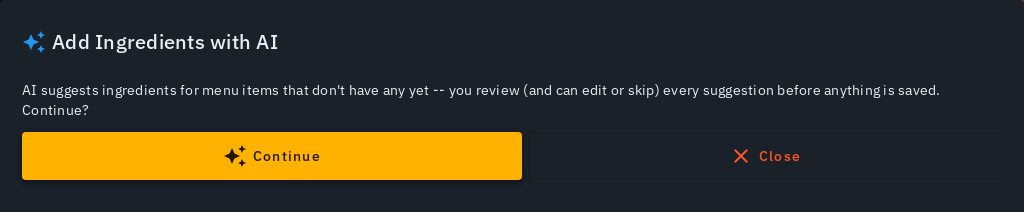
Biller can suggest each dish's ingredients with AI -- name, amount and unit -- so you don't type every recipe by hand. Nothing saves until you review and accept it. Linking a dish to ingredients is what turns on automatic stock deduction and low-stock alerts (see Inventory & stock).
Whole menu at once
- On Menu, tap Add Ingredients with AI (next to Upload Menu Photo), then Continue -- AI suggests ingredients for every item that doesn't have any linked yet.
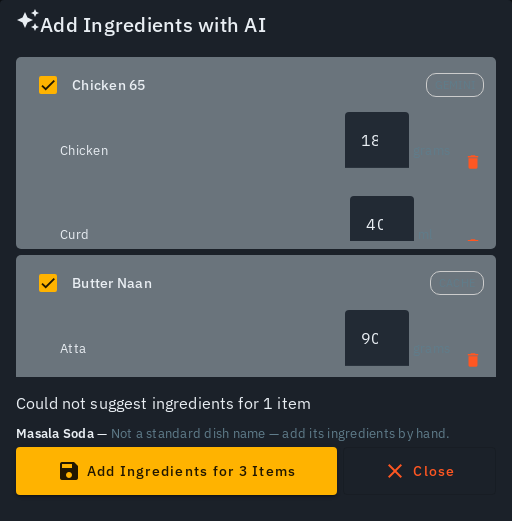
- A progress bar tracks it, in the review sheet and in the bar at the top of the Menu screen; this keeps running on Biller's servers even if you close the tab, and you'll get a push notification once it's ready. Each dish then shows its suggested ingredients.
- Review each dish: edit an amount, remove an ingredient with its close (x) icon, or untick a dish to skip it. A dish AI couldn't confidently suggest for is listed separately with a reason, never silently dropped.

- Tap Add to N dishes to save -- again keeps running if you close the tab, with a push notification when done. The summary shows items updated, items already linked (left untouched), new inventory items created, and names any dish that failed so you can retry it.
Closing the review does not lose what you paid for
If you close the review sheet before adding, the suggestions are kept. The bar at the top of the Menu screen reads Ingredient suggestions ready (also under Running & recent as Ready to review), and the attention card offers Review suggestions with no price -- they are already paid for. Open them to add, or tap Discard to let them go. Run again in the review sheet starts a new run and charges credits again.
Single item or a selection
An item's edit form shows Suggest ingredients (AI) when it has no ingredients linked -- review inline, then Add Ingredients or Cancel. Ticking a few items on Menu and using bulk Update offers the same Add ingredients with AI flow, scoped to just your selection.
Ingredients ARE inventory items
A dish's ingredients are simply the inventory items it consumes, plus how much of each per plate -- accepting a suggestion creates any missing inventory item and links it in the same tap. AI is shown your existing inventory first, so it reuses items you already have ("Atta") instead of inventing near-duplicates ("Wheat Flour").
Tips
- A newly-created ingredient starts with a rough, non-zero estimate (badged "Estimated -- tap to correct") -- confirm it via Inventory (log a purchase, or tap the badge). See How automatic inventory management works.
- Asking for the same dish again is served from the earlier answer, not re-derived; a differently-named variant ("... without ghee") still gets its own fresh suggestion.
- An item that already has ingredients is left alone -- additive only, never overwrites an existing recipe.
- Spice ingredients are excluded from AI suggestions and stay manually tracked.
- Amounts use the natural small unit per plate -- grams/millilitres below 1000, kg/litre at or above it.
- Each dish costs 1 Biller credit (a 20-dish run costs 20), from the same wallet your bills draw from; every dish AI can't derive is refunded automatically, and so is a dish answered from the earlier-answers store (the cache badge) -- you only pay for fresh AI answers. The cost is on the button (Add with AI, Run again) and one tap starts it, with no second confirmation. The credit ring in the top bar updates after each run. See Biller credits & pricing.