 ILLER
ILLERThe app top bar, bottom navigation, and switching modes
What's in the top bar
The top bar now shows just two things, and only for admins:
- Current view (left) -- Cashier, Kitchen, Waiter or Admin, whichever you're looking at right now. It's a read-only label; use the Mode drop-down (see below) or the bottom navigation to actually switch.
- Credits ring (right) -- a small circular progress ring showing how many of today's free bills you have left. Tap it to see the exact count and your permanent bill-credit balance, plus a Buy more credits button.
Staff logged in directly as a Cashier, Kitchen or Waiter (not an admin) don't see a top bar at all -- their view never changes, so there's nothing for it to show.
The Mode drop-down
On the billing screen only, admins see a Mode drop-down above the bill list. Pick Cashier, Kitchen, Waiter, or "Kitchen wall (TV display)" to jump straight into that view without logging out or switching accounts. It only appears on the billing screen -- once you're in Admin, use the bottom navigation's Billing button to get back to it.
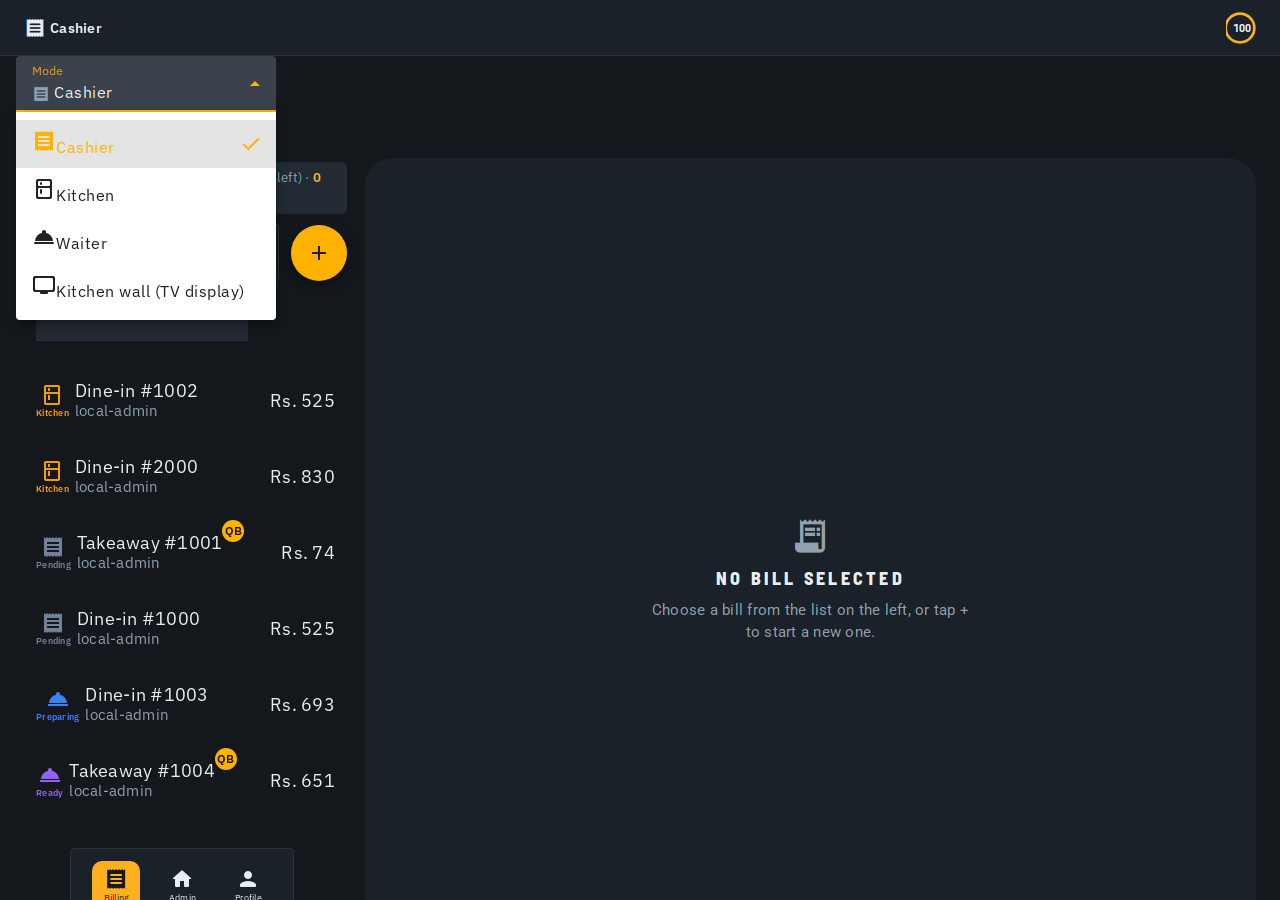
The bottom navigation
Every logged-in user sees a bottom navigation bar with a Profile button (your logout, notification and theme controls -- see below). Admins additionally see two more buttons:
- Billing -- jumps straight to the billing (Cashier) screen.
- Admin -- jumps straight to the admin dashboard.
Those two only make sense for an admin who can look at more than one view -- Cashier/Kitchen/Waiter staff logged in directly don't see them.
The profile menu
Tapping the Profile button opens a menu with:
- Your name and photo at the top.
- Notifications -- badged with your unread count.
- Theme -- switch between Light, Dark or System.
- Logout.
Low bill warning (Waiter/Cashier)
If you're logged in as a Waiter or Cashier and your outlet is running low on today's free bills (10 or fewer left) with no bill credits in reserve, you'll see a warning above the bill list letting you know, so you can ask your admin to buy more credits before you run out. Kitchen staff don't see this warning -- they don't create bills.