 ILLER
ILLERLinking your Google account
If you signed up with your phone number, you can link a Google account as a backup and a faster way to sign in next time. This is additive -- your phone number keeps working exactly as it does today; linking Google just gives you a second way in.
Why link a Google account
- Backup login. If you ever lose access to your phone number, a linked Google account is still a way back into the same outlet -- nothing about your outlet, billing history, or team changes.
- Faster sign-in. Next time, you can sign in with a single tap instead of waiting for an SMS code.
When you'll see the prompt
Starting from your next sign-in after this feature ships (not the session you're onboarding in), you may see a "Add a backup login" sheet after signing in with your phone number. Choose Link Google Account to connect it right there, or Not now to dismiss it -- dismissing is remembered, so it won't ask again every single session.
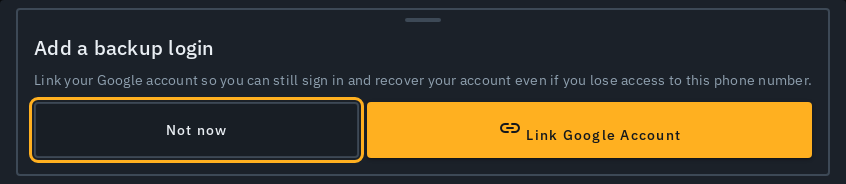
Linking any time from your profile
You don't have to wait for the prompt:
- Tap your profile icon.
- If you signed up via phone, you'll see a Link Google account button.
- Tap it and choose your Google account.
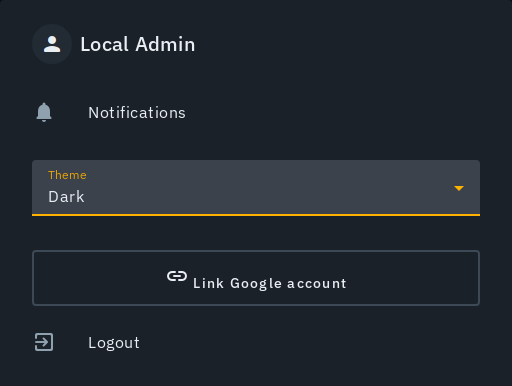
Once linked, the row shows "Google account linked" instead.
If something goes wrong
- "That Google account is already linked to a different login." That Google account is already tied to someone else's sign-in. Choose a different Google account, or ask them to unlink it first if it was linked by mistake.
- Closed the Google popup by accident? No problem -- nothing happens; just tap Link Google Account again.
Linking never replaces your phone sign-in or creates a second account -- both your phone number and your linked Google account always sign in to the exact same outlet.