Scan a Purchase Receipt, Skip the Typing: AI-Drafted Inventory Purchases on Biller.app
Published
Ask a restaurant owner how a supplier's paper receipt turns into an inventory update, and the honest answer is: someone re-types it, line by line, item and price, into a spreadsheet or a POS screen — exactly the kind of clerical work that gets skipped on a busy night and forgotten by morning. Biller.app's new receipt scan turns that same paper slip into a ready-to-review purchase entry, without a line typed by hand.
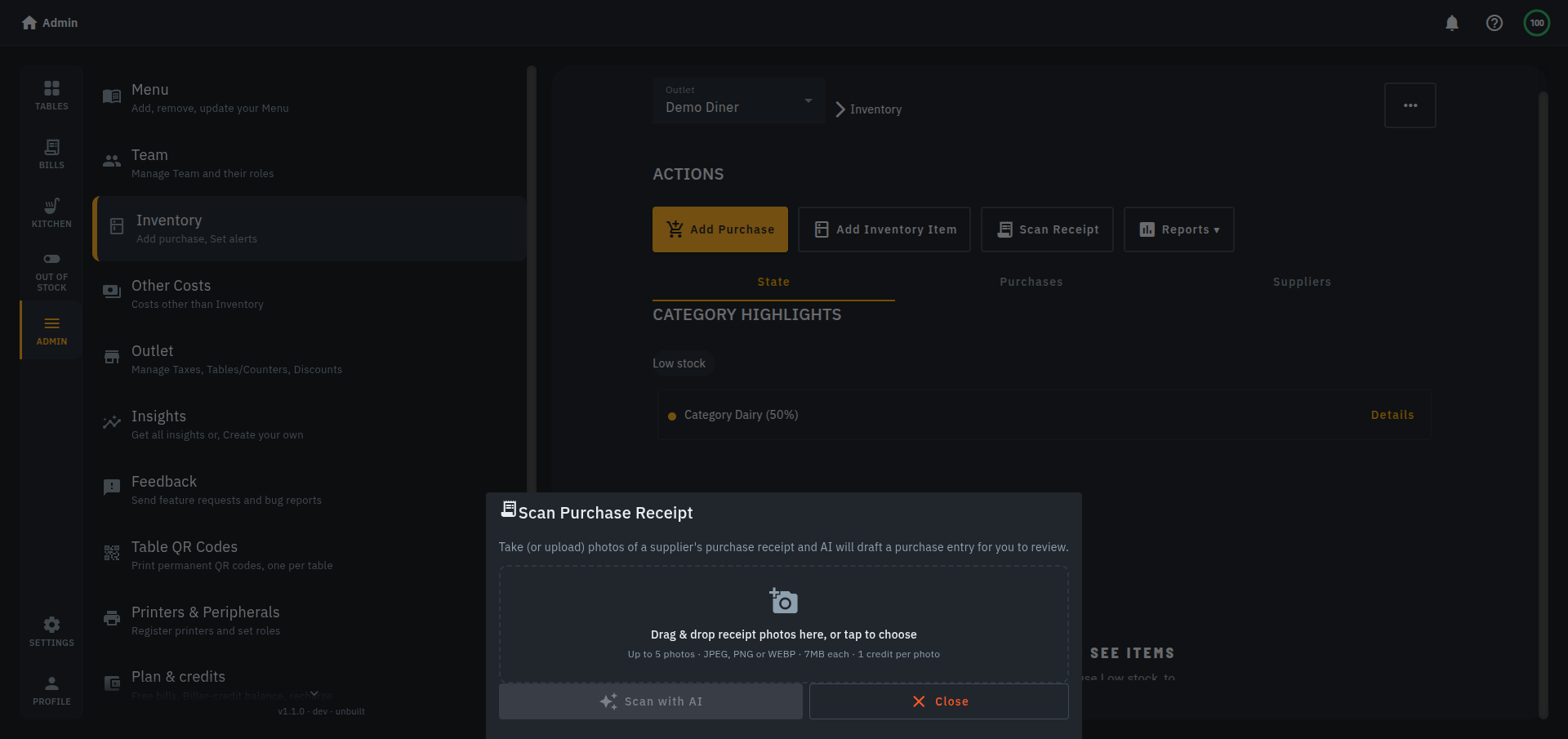
How it works, step by step
- On the Inventory screen, tap Scan Receipt and upload or photograph 1-5 photos of a supplier's receipt.
- AI reads each photo in the background as a durable job — a progress bar tracks it, and it keeps working even if you close the tab and come back later.
- For each line it finds, AI drafts an item name, quantity and price, and opens the results in the same Add Purchase screen you already use for manual entry — pre-filled, not manual, but nothing is saved yet.
- Review, edit anything that looks off, and save. Only then does it touch your stock — scanning a receipt never writes to inventory by itself.
What it won't guess
A line whose unit doesn't match your inventory item's unit — or one AI can't match to an item at all — is left with its quantity blank rather than guessed, so you fill it in rather than trust a wrong number. Cross-measure conversions (weight to volume) are never attempted, the same boundary Biller.app holds everywhere else stock is touched. The purchase date is pre-filled from the receipt (capped at one month back) but stays editable. A photo AI couldn't read costs nothing and isn't charged.
What it costs
One credit per photo, and only for photos AI actually managed to read. That's the same flat per-item rate as Biller.app's other metered AI actions — Add ingredients with AI and AI-generated dish photos — not a premium add-on bolted on top.
Where this fits
This sits next to, not instead of, the supplier book and one-tap purchase orders Biller.app shipped for outbound orders: the reorder list gets you from low stock to a sent order fast, and receipt scan gets you from a supplier's paper slip back into the app just as fast once the delivery lands. Stock still only moves the way it always has — when you save a reviewed purchase.
Bottom line
The paper receipt was always the last un-digitized step in restocking — somebody still had to sit down and type it in. Receipt scan doesn't remove the review, but it removes the typing: point a camera at a receipt, check the draft, save. It's live now on Biller.app, no separate add-on required.