Discounts in Restaurant and Shop Billing: Percentage vs Flat, and Getting GST Right
Published
A festive offer, a loyalty discount, a manager override on a large table's bill -- discounts are one of the most common actions on a billing screen, and one of the easiest to get wrong on the tax side. Here is how discounting actually works in Biller.app, including the one GST detail that trips up a lot of manual billing.
Two kinds of discount, both whole-bill
Biller.app supports two discount types: a percentage off (say, 10% off) or a flat amount off (say, Rs. 50 off). Both apply to the whole bill -- there is no per-item discount today. If you need to comp or reduce a single dish rather than the whole bill, that is a gap worth knowing about before you rely on this for line-level promotions.
Setting up a discount
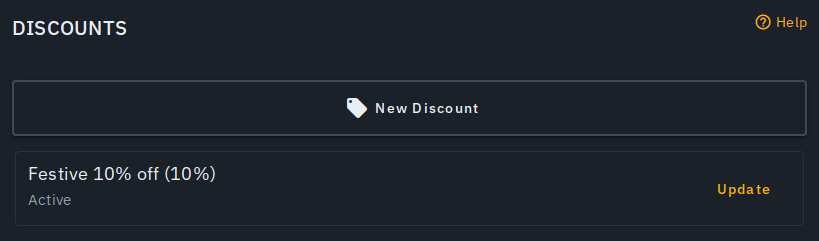
Named discounts are created once, from Outlet → Discounts → New Discount, and reused across bills:
- Give it a name -- this is what prints on the bill and the customer's receipt, so name it the way a customer should see it ("Festive 10% off", not an internal code).
- Choose Percentage or Flat amount, and set the value -- a percentage is capped at 100.
- Leave it Active while the offer is running. Toggling a discount inactive later retires it without deleting its history or touching bills that already used it.
Applying one to a bill
On the billing screen, next to Discount, tap Apply. You get quick-apply chips for common rates -- 5%, 10%, 15%, flat Rs. 50, flat Rs. 100 -- with no setup required, plus your own saved discounts. Only one discount applies to a bill at a time; picking a new one replaces whichever was applied before, and No discount clears it. Both cashiers and waiters can apply a discount to a bill, while creating, editing or deleting the discount definitions themselves is restricted to admins -- so a promotion's terms stay under owner/manager control even though anyone at the counter can hand it out.
The GST detail that matters
Tax is computed on the post-discount amount, not the original subtotal. That is the correct way to handle a genuine trade discount under GST, and it is easy to get wrong doing this by hand -- deduct the discount, then apply tax to what is left, not the other way around. A discount can also never take a bill below Rs. 0: an oversized percentage or flat amount is automatically capped at the bill's own subtotal, so a Rs. 100 flat discount on a Rs. 60 bill simply zeroes it out rather than going negative.
What happens after the bill is billed
Once a discount is applied and the bill is billed, it is locked in. Editing or deleting the discount's definition afterwards -- changing its percentage, renaming it, deactivating it -- never rewrites a bill that already used it. That matters for both your own historical reports and anything you have already handed a customer: the number on a completed bill does not move because you changed a setting later.
Where it shows up
The discount line -- its name and the amount taken off -- appears consistently everywhere the bill does: the billing screen itself, the customer's digital bill, the printed receipt and the thermal print-out. There is no surface where a discount is silently applied but invisible to the customer.
What this does not do (yet)
Two honest limits worth planning around: discounts are whole-bill only, with no per-item or per-category discount, and only one discount can be active on a bill at a time -- there is no stacking a festive offer on top of a loyalty discount. If your promotions depend on either of those, budget for a manual workaround (a flat amount sized to approximate the intended effect) until that gap closes.
Who this is for
Biller.app is built for small and mid-size Indian businesses, from a single counter to a multi-outlet chain -- discounts work the same way whether you are running a restaurant or a shop counter. Billing starts with 510 Biller credits once, with no card to start; a plain bill costs one credit, and credits never expire.